

Create the job
From the Jobs page, click Create Job. Fill in the title, employment type, and optionally a department and location.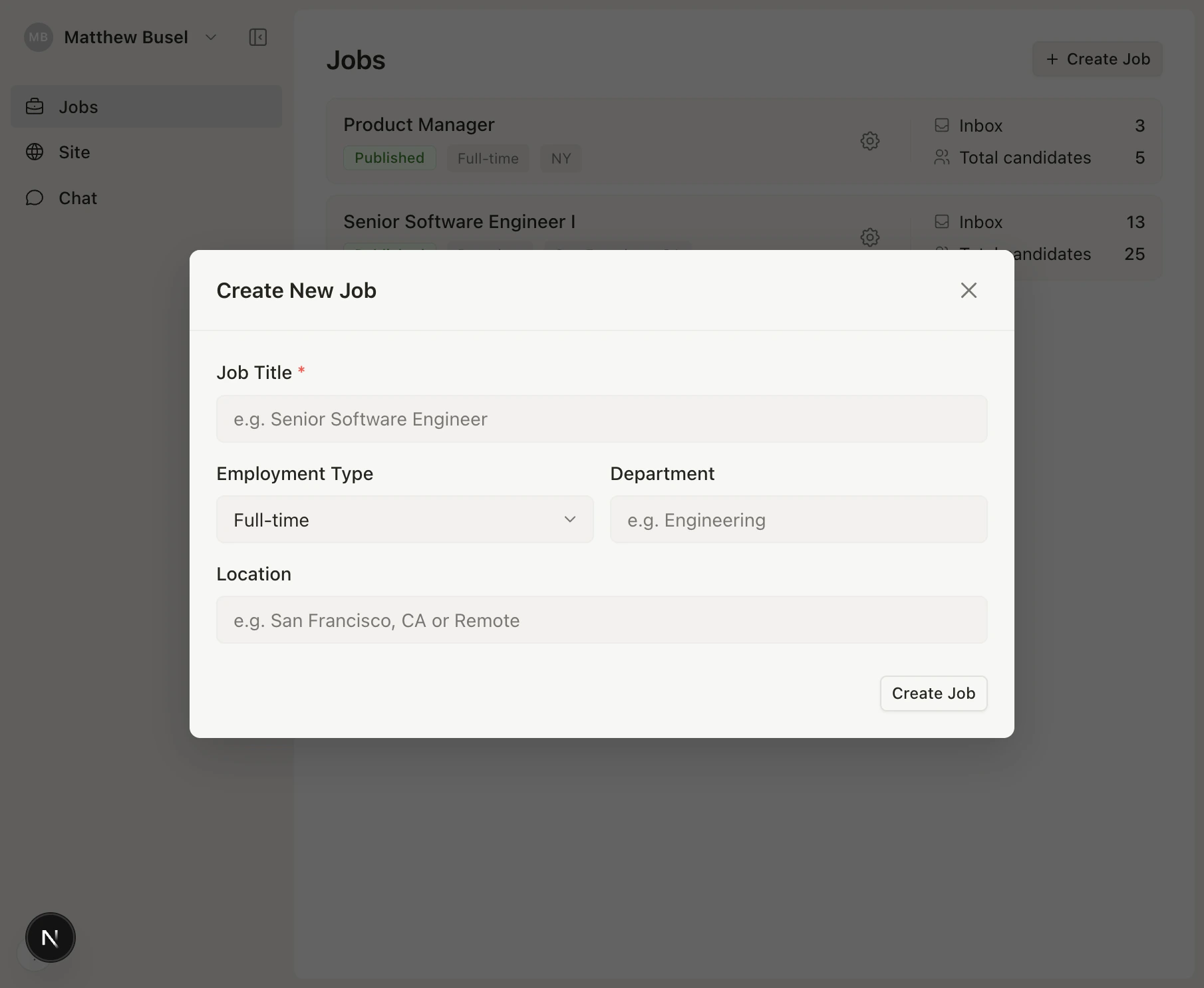
Configure settings
Click Configure to customize the job posting and application form.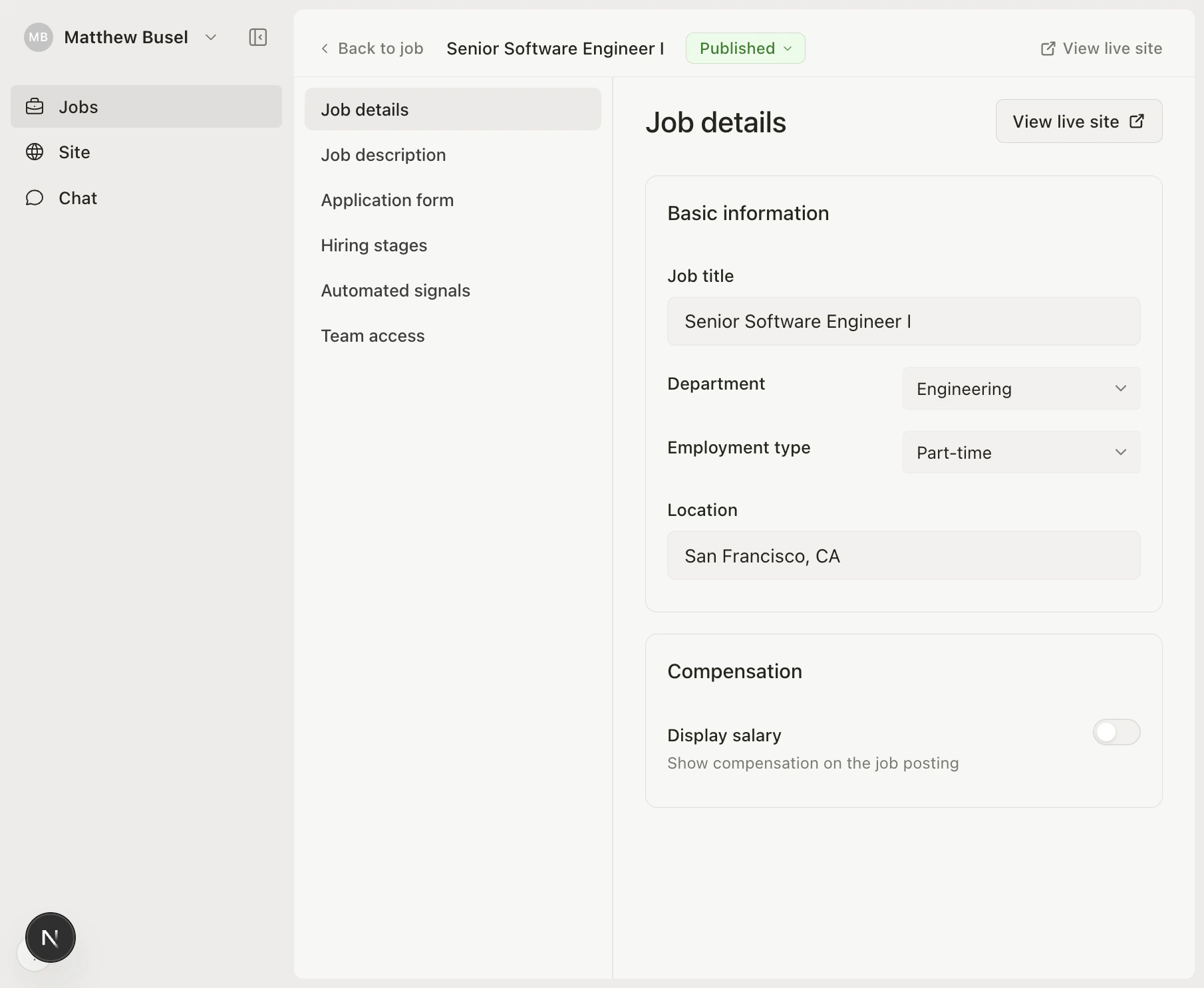
- Write a job description (supports markdown)
- Set salary and equity ranges to display on your careers page
- Configure application form fields — choose which fields (resume, LinkedIn, phone, website) are required, optional, or hidden
- Add custom screening questions (short answer, long answer, or URL)
- Manage pipeline stages — add, rename, or reorder stages