

1. Create your account
Sign up at hireloam.com with email or Google. You’ll be prompted to create an organization — this is your company name and the slug for your public careers page URL.2. Post a job
From the Jobs page, click Create Job, fill in the title and basics, then hit Create.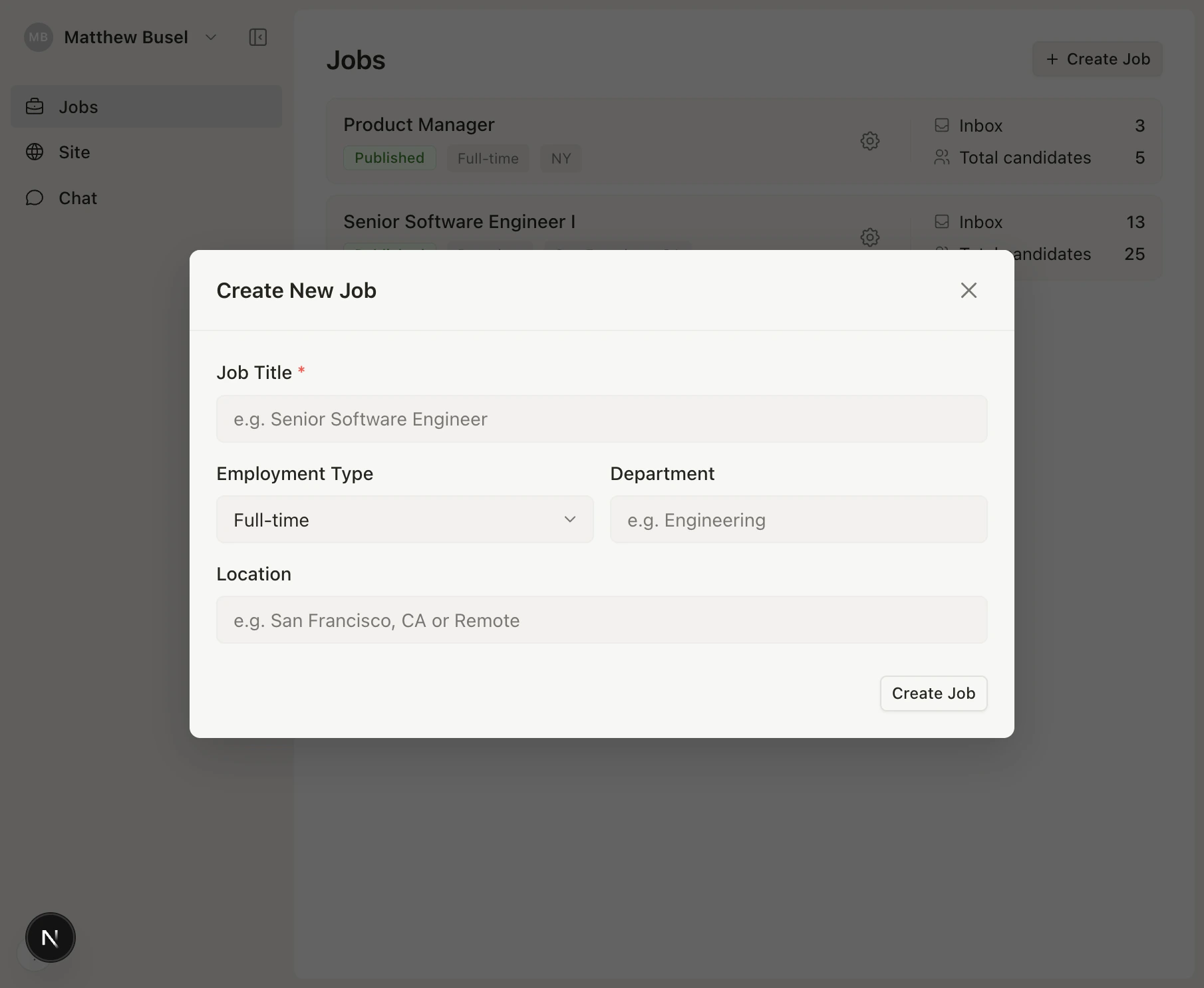
3. Review candidates
Once applications come in, Loam’s AI automatically generates structured briefs from each resume. Review candidates in three views: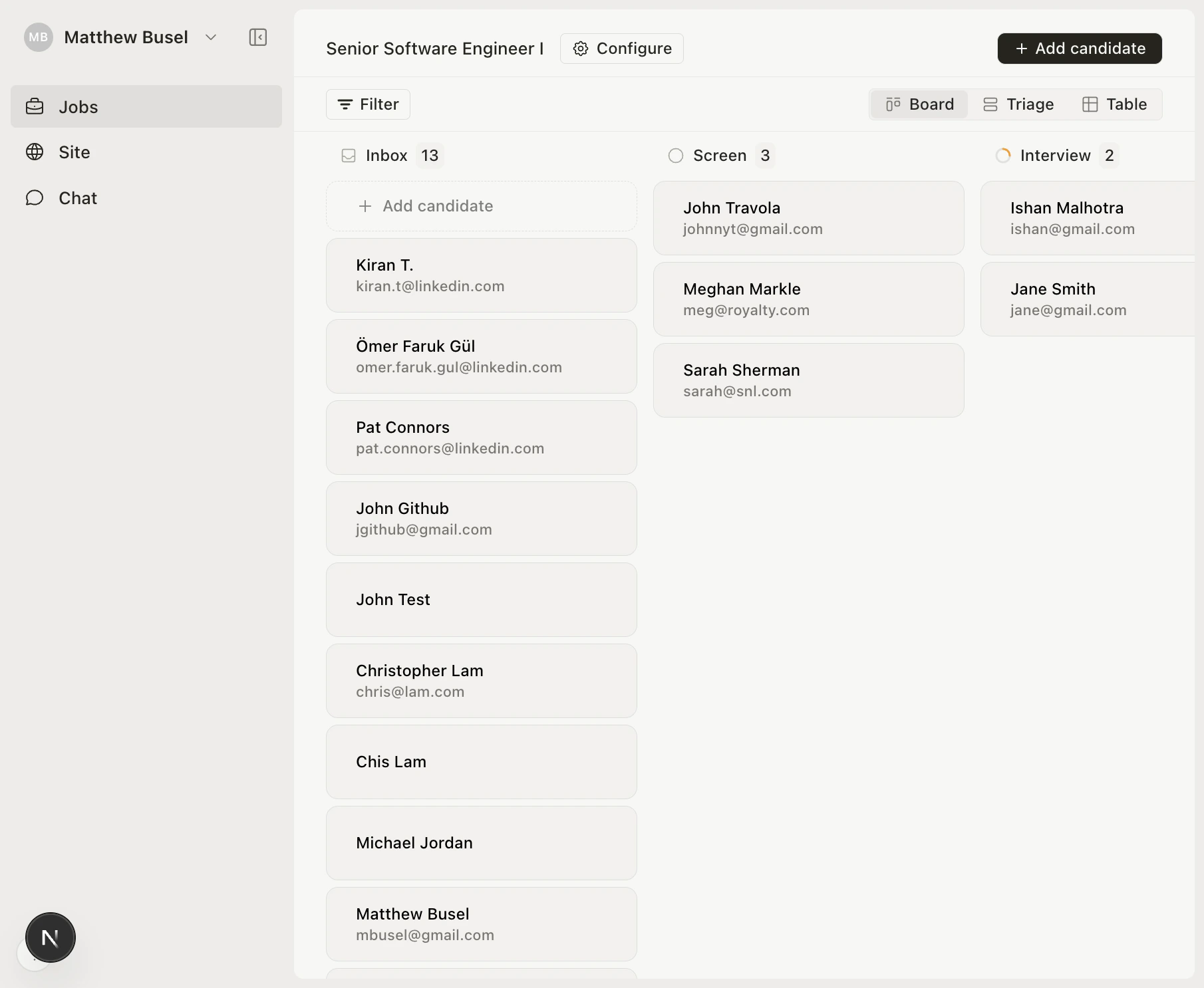
- Board — Kanban-style drag-and-drop
- Triage — Keyboard-driven split-pane for fast review
- Table — Sortable spreadsheet view
What’s next?
Set up your careers page
Customize branding, logo, and hero content.
Learn the Pipeline
Master the three views and keyboard shortcuts.
Try AI Chat
Ask questions about your pipeline in natural language.
Connect via MCP
Use Loam from Claude, Cursor, or any MCP tool.