> ## Documentation Index
> Fetch the complete documentation index at: https://docs.hireloam.com/llms.txt
> Use this file to discover all available pages before exploring further.
# Triage View
> Review candidates at speed with keyboard shortcuts.
Triage is Loam's fastest way to review a batch of candidates — a split-pane interface with a candidate list on the left and full detail on the right.
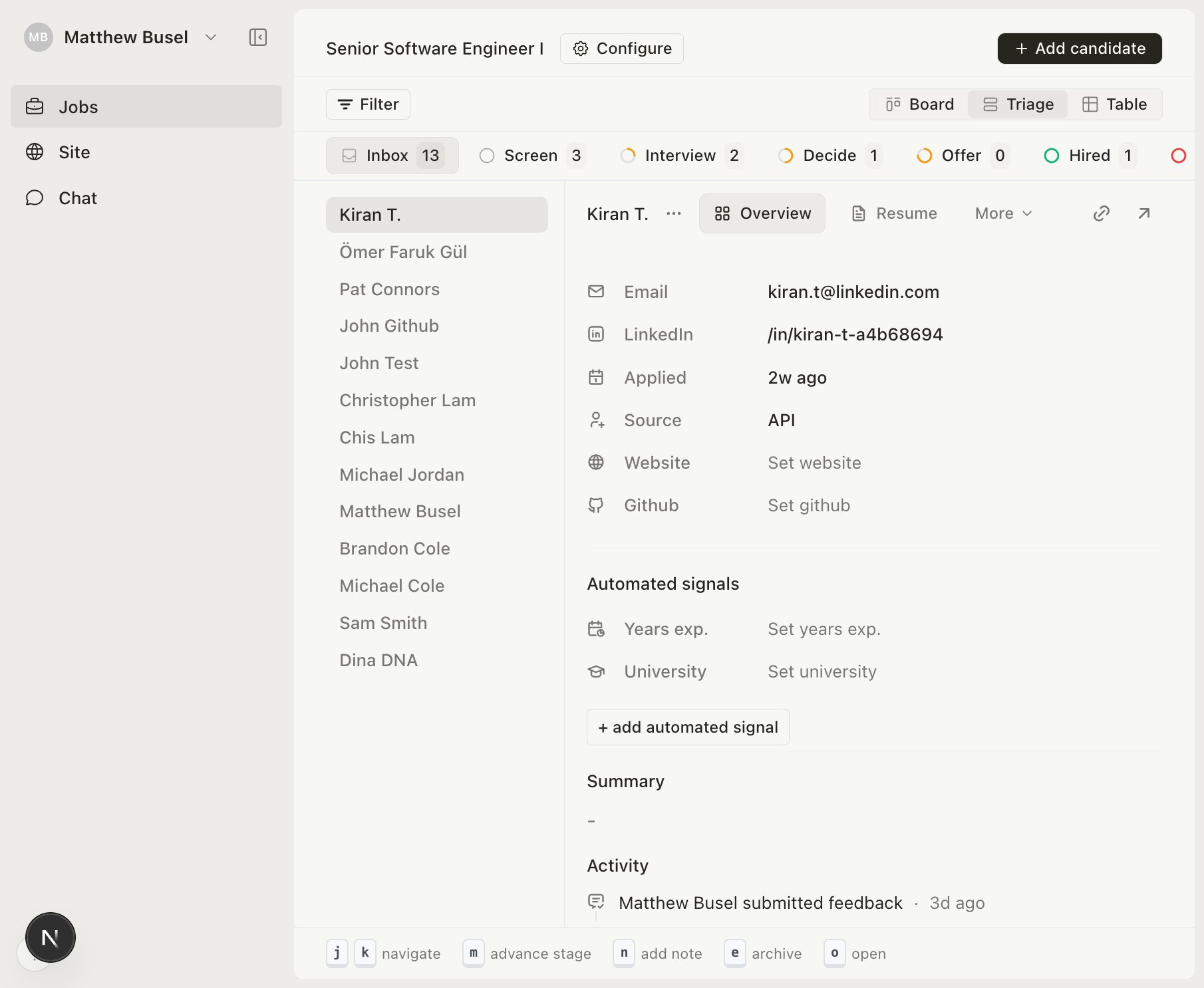 ## Keyboard shortcuts
| Key | Action |
| --- | -------------------------- |
| `j` | Next candidate |
| `k` | Previous candidate |
| `m` | Advance to next stage |
| `e` | Archive candidate |
| `n` | Focus note input |
| `o` | Open full application page |
## Recommended workflow
1. Select the **Inbox** tab to review new applicants
2. Use `j`/`k` to flip through candidates
3. Press `m` to advance promising candidates, `e` to archive others
4. Click the next stage tab and repeat with a more thorough review
Triage is especially useful after a large batch of applications — you can review 50 candidates in minutes.
## Keyboard shortcuts
| Key | Action |
| --- | -------------------------- |
| `j` | Next candidate |
| `k` | Previous candidate |
| `m` | Advance to next stage |
| `e` | Archive candidate |
| `n` | Focus note input |
| `o` | Open full application page |
## Recommended workflow
1. Select the **Inbox** tab to review new applicants
2. Use `j`/`k` to flip through candidates
3. Press `m` to advance promising candidates, `e` to archive others
4. Click the next stage tab and repeat with a more thorough review
Triage is especially useful after a large batch of applications — you can review 50 candidates in minutes.