> ## Documentation Index
> Fetch the complete documentation index at: https://docs.hireloam.com/llms.txt
> Use this file to discover all available pages before exploring further.
# Getting Started
> Set up your account, post your first job, and start reviewing candidates.
Welcome to Loam — the AI-powered hiring tool built for founders making their first 10 hires.
## 1. Create your account
Sign up at [hireloam.com](https://hireloam.com) with email or Google. You'll be prompted to create an **organization** — this is your company name and the slug for your public careers page URL.
## 2. Post a job
From the **Jobs** page, click **Create Job**, fill in the title and basics, then hit **Create**.
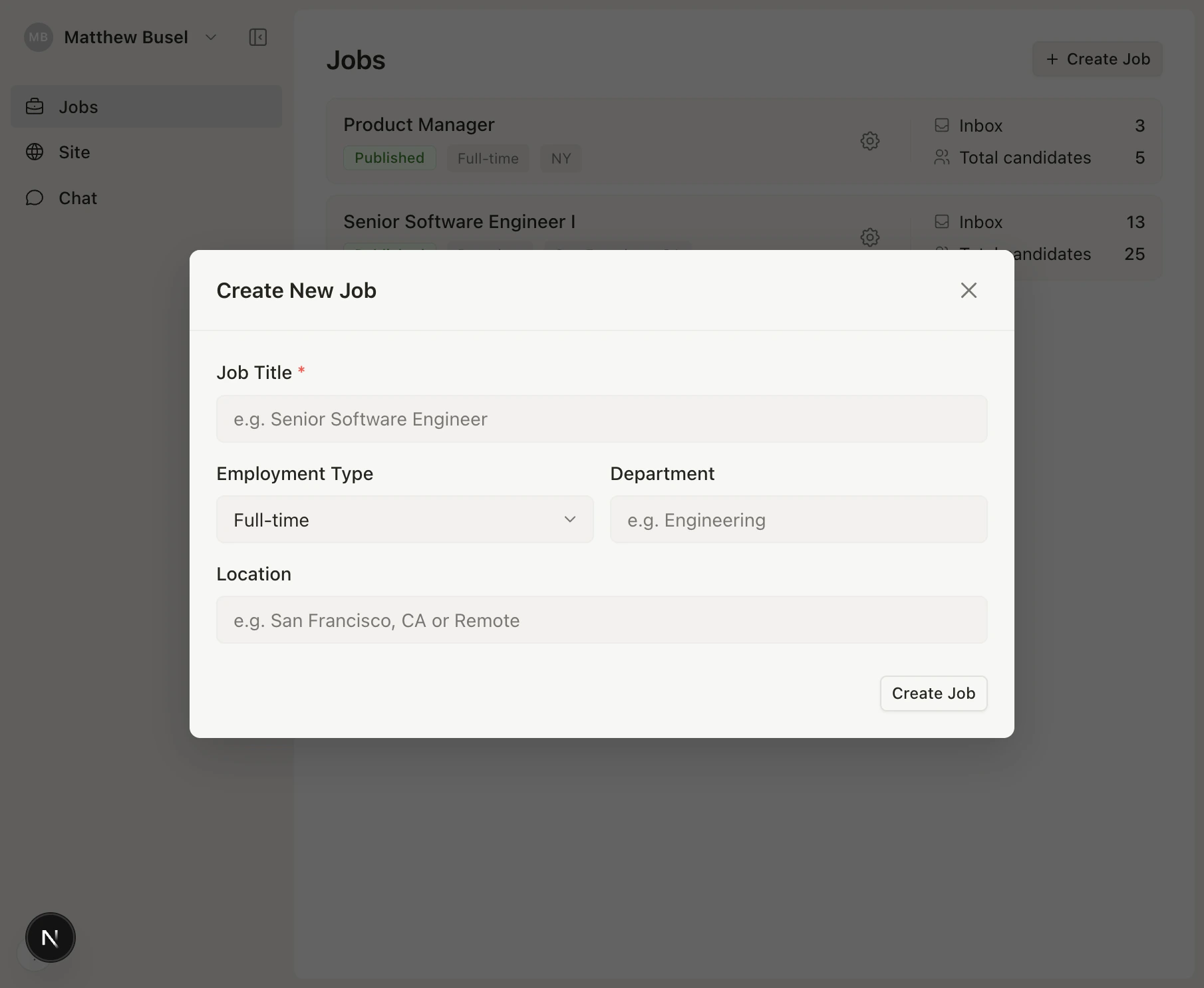 The job starts in **Draft** status. Head to **Configure** to add a description, compensation, and application form fields, then change the status to **Published** to go live.
## 3. Review candidates
Once applications come in, Loam's AI automatically generates structured briefs from each resume. Review candidates in three views:
The job starts in **Draft** status. Head to **Configure** to add a description, compensation, and application form fields, then change the status to **Published** to go live.
## 3. Review candidates
Once applications come in, Loam's AI automatically generates structured briefs from each resume. Review candidates in three views:
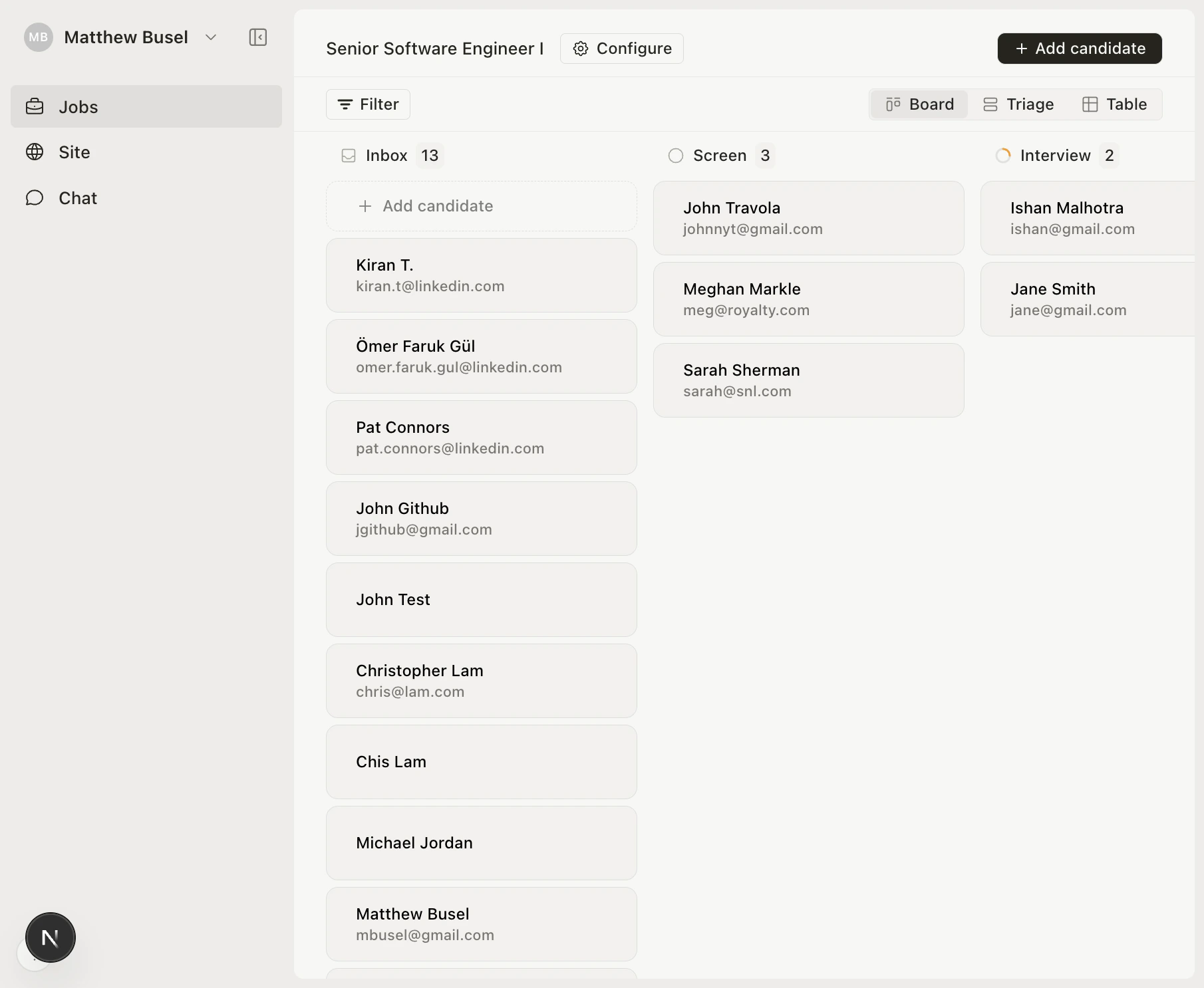 * **Board** — Kanban-style drag-and-drop
* **Triage** — Keyboard-driven split-pane for fast review
* **Table** — Sortable spreadsheet view
Move candidates through stages: **Inbox → Screen → Interview → Offer → Hired** (or **Archived**).
## What's next?
Customize branding, logo, and hero content.
Master the three views and keyboard shortcuts.
Ask questions about your pipeline in natural language.
Use Loam from Claude, Cursor, or any MCP tool.
* **Board** — Kanban-style drag-and-drop
* **Triage** — Keyboard-driven split-pane for fast review
* **Table** — Sortable spreadsheet view
Move candidates through stages: **Inbox → Screen → Interview → Offer → Hired** (or **Archived**).
## What's next?
Customize branding, logo, and hero content.
Master the three views and keyboard shortcuts.
Ask questions about your pipeline in natural language.
Use Loam from Claude, Cursor, or any MCP tool.